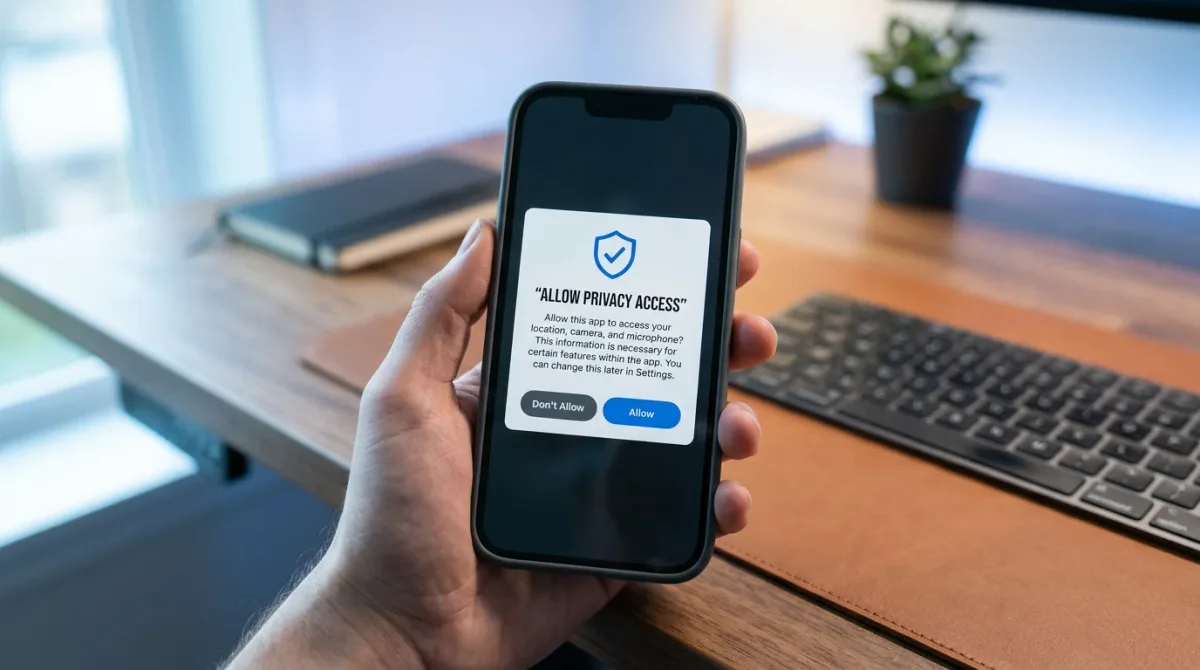
You can block most apps from tracking your activity across other apps and websites right from the permission alert that pops up when you open them — tap "Ask App Not to Track," per Apple's own support documentation. The catch: it cuts off the ad-tracking ID, not every tracking method, and a few account types can't use the setting at all.
How Do I Turn Off Tracking When an App Asks for Permission?
The moment an app wants to track you, iOS shows an alert with two buttons: "Allow" or "Ask App Not to Track." Tap the second one and that app loses access to your device's ad-tracking identifier going forward — no settings menu required.
- Open the app that's requesting tracking permission — this typically happens the first time you launch it, or right after an update.
- Read the alert. Apple lets developers customize part of the explanation text, but the two response buttons are fixed system controls, not something the app can change.
- Tap "Ask App Not to Track" to deny the request, or "Allow" to grant it.
This prompt behavior has applied since Apple introduced App Tracking Transparency in iOS 14.5, and Apple's support page — last updated December 19, 2025 — describes it as still current.
What Does "Ask App Not to Track" Actually Block?
Apple's support page is specific about the mechanics: when you deny the request, "the app developer can't access the system advertising identifier (IDFA), which is often used to track." The same page adds that the app also "is not permitted to track your activity using other information that identifies you or your device, like your email address."
Denying tracking doesn't erase data a tracker already collected — it blocks new access to your ad ID and identifying details going forward. If you tap "Allow" instead, the app can use that identifier to link your activity across other companies' apps and sites for ad targeting, which is the behavior the prompt exists to gate.
How Do I Manage Tracking for Every App at Once, Not Just One?
You don't have to wait for each app to ask. Apple's support documentation points to a dedicated screen that lists every app that has requested tracking and lets you flip permissions individually — or shut the door for all future requests in one move.
- Open Settings.
- Tap Privacy & Security, then Tracking.
- Turn off "Allow Apps to Request to Track" to stop every app from prompting you going forward, or leave it on and toggle individual app switches listed below it.
Changing an app's switch here has the same effect as answering its original prompt — you can reverse an earlier "Allow" at any time without reinstalling anything.
Who Can't Turn Tracking Permission On, Even If They Want To?
Not every account can grant apps this access, according to Apple's support page. Child accounts, users under 18, accounts under enterprise or school management, and accounts created within the past three days can't enable tracking requests — the toggle is restricted for them regardless of what they'd otherwise choose.
Does Blocking Tracking Actually Stop Every Kind of Tracking?
Not entirely. Engadget's explainer on App Tracking Transparency notes that denying a tracking request blocks the identifier-based methods the prompt covers, but "heuristic-based methods and device fingerprinting continue operating independently of these permissions." In plain terms: the prompt closes one well-used door, not every door.
The same piece points out that iPhone and Android handle this differently — on iOS, "apps must ask you before accessing that ID," while Android has historically opted users into tracking by default rather than asking first. Engadget also cites Meta's own 2022 statement that it expected roughly $10 billion in lost revenue tied to Apple's rollout of the feature, evidence of how many iPhone owners chose to say no when finally asked.
Why Do Apps Even Ask for This in the First Place?
Apple built the prompt into iOS 14.5 and began enforcing it in spring 2021, requiring developers to request permission before tracking rather than assuming consent, according to TechCrunch's coverage of the rollout. The change drew immediate pushback from Facebook (now Meta), which took out newspaper ads arguing the policy would hurt small businesses reliant on targeted advertising — a framing the Electronic Frontier Foundation dismissed at the time as a distraction from the company's own data practices, per the same report.
Frequently Asked Questions
Can I change my answer for an app after I've already responded to its prompt? Yes. Go to Settings > Privacy & Security > Tracking and flip that app's individual switch — you're not locked into your first answer.
Does turning off tracking stop targeted ads completely? No. Per Engadget's reporting, blocking the ad-tracking identifier doesn't stop device fingerprinting or other heuristic tracking methods that don't rely on that identifier.
Who can't turn on app tracking requests? Apple's support documentation lists child accounts, users under 18, managed enterprise or school accounts, and accounts younger than three days as unable to enable the setting.
Does Android show the same tracking prompt? No. According to Engadget, Android has historically opted users into ad-identifier tracking by default rather than asking permission upfront the way iOS does.
For a related apps perspective, read How to Stop Apps from Tracking You Across Other Apps on Your iPhone.