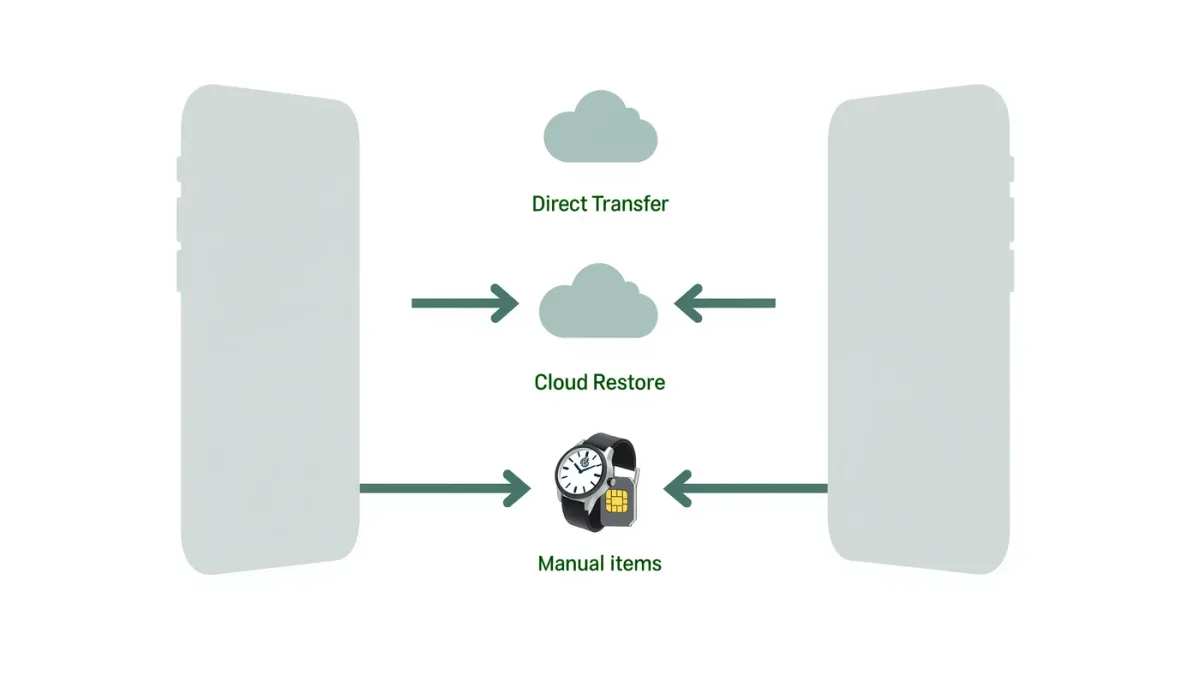
Set the new iPhone next to the old one and Quick Start does the rest: Apple documents direct device-to-device transfer of apps, photos, messages, settings and most app data over Wi-Fi or a cable, typically 20–45 minutes for an average phone. The catch comes at the edges — Apple Watch must unpair and re-pair through its own flow, and if the eSIM transfer fails (a documented possibility), you'll need the carrier's app or a QR code, so do this on a day the carrier store is open.
What's the difference between Quick Start transfer and iCloud restore?
Direct transfer (device-to-device) copies everything currently on the old phone, including app data that isn't backed up, per Apple's documentation. iCloud restore reinstalls the latest backup — cleaner, but only what was in the backup, and it needs Wi-Fi (and possibly iCloud+ space) to work. Rule of thumb: direct transfer if the old phone is healthy; iCloud restore if the old phone is dead, water-damaged or already gone.
Step by step: the direct transfer
- Update the old iPhone to the latest iOS Apple documents for it — mismatched versions cause most transfer hiccups.
- Turn on the new iPhone and place it next to the old one; the Quick Start card appears on the old screen. Tap Continue.
- Scan the animation with the old phone's camera, then follow prompts: Face ID setup, then "Transfer from iPhone."
- Keep the phones near each other and plugged in until both progress bars finish. A cable between them is faster for large photo libraries.
- Finish signing in: some apps will ask for passwords again — normal; authenticator apps need their own migration step (documented below).
What needs manual moves?
- Apple Watch: before wiping the old iPhone, unpair the watch in the Watch app — this backs it up and removes Activation Lock; re-pair from the new phone.
- eSIM: iOS offers transfer during setup; if it fails, carriers' documented fallbacks are their apps or a QR re-issue.
- Authenticator apps: most need in-app export/import or new QR enrollments per account — do before wiping.
- Banking and government-ID apps: several re-verify identity on new hardware by design; expect re-login and sometimes a code by mail.
What if the old iPhone is already gone?
Restore from iCloud: during setup choose "Restore from iCloud Backup," pick the newest backup, and check that the old device was doing nightly backups (Settings → your name → iCloud → iCloud Backup documents the last backup time). No backup and no phone? Apple documents Activation Lock removal through icloud.com as the essential step, then you set up as new and re-download apps from the App Store's Purchased list.
The finishing checklist
- Find My: confirm it's on (Settings → your name → Find My).
- Apple Watch re-paired and updating.
- Two-factor accounts re-enrolled and tested.
- Old iPhone used in parallel for a few days; only then Settings → General → Transfer or Reset → Erase All Content and Settings — which also removes it from your iCloud account.