
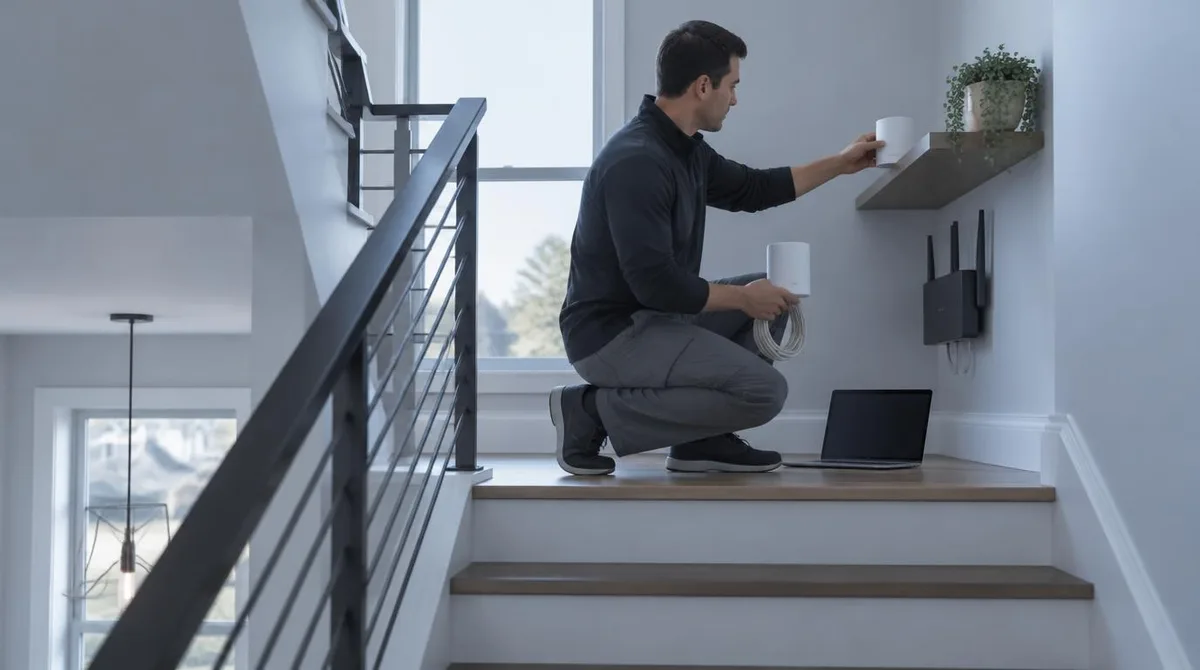
Set up a mesh Wi-Fi system by pairing the gateway node with the maker app, placing each satellite no more than 50 feet from its neighbor, and wiring nodes together where Ethernet already runs. The catch: the provider's modem-router combo can fight the new mesh, and eero's support documentation says to set up the mesh first, then bridge that combo box.
Those numbers come from the makers themselves. TP-Link's support FAQ says Deco range "varies depending on several environmental factors rather than having a fixed distance specification," with 50 feet the practical wireless spacing. eero's wired-backhaul guidance, dated May 19, 2026, says Ethernet between nodes "frees up bandwidth and improves speed, stability, and latency." Here is how to put that on the walls of a real house. This connects to our earlier piece, How to Set Up a New Android Phone in 2026, Step by Step.
Where Should Each Node Go?
Short answer: spread the nodes in open air, high up, and no more than 50 feet apart when they link wirelessly. TP-Link's Deco FAQ says placing units higher up and away from obstructions improves coverage, and it names building materials, walls, floors, and other electronics as range killers. Microwaves, Bluetooth gear, and USB 3.0 peripherals interfere on the 2.4 GHz band, per the same page.
- Start with the router node near the middle of the home, then work outward one hop at a time.
- Keep every wireless hop inside the 50-foot spacing TP-Link documents, measured node to node.
- Shelve a node rather than floor it: away from metal objects, walls, and the ground.
- Distance rules loosen with wires. If units connect via Ethernet backhaul, TP-Link says placement becomes more flexible.
How Do You Run the Setup, Step by Step?
The steps below follow eero's and TP-Link's current support pages as of October 2026. Apps differ by brand, and menus move with firmware updates, so expect small detours along the way. Readers following this should also see How to Set Up a New Device the Right Way: A First-Day Checklist.
- 1. Plug in the gateway node near the center of the home and open the maker app. Pair it, name the network, and let firmware update before adding anything else.
- 2. Add satellites one at a time, walking each into position before pairing the next. eero's wired-backhaul guide has you confirm support, connect nodes, and verify each link in the app.
- 3. Keep every wireless hop inside the documented 50-foot spacing, and reshelve any node that sits low or behind metal.
- 4. Wire nodes where Ethernet exists. Use Cat6 or higher cable, per eero's guidance, and check the app until it reports a wired connection on each node.
- 5. Sort the ISP box last. eero's combo instructions say to set up the mesh network first, then bridge the modem-router combo.
Is Wired Backhaul Worth the Cable Run?
If Ethernet lines already run between rooms, wire the nodes. eero's May 2026 explainer credits wired links with steadier speeds under load, and lower latency for video calls and gaming. A wired link also frees the wireless bands for actual devices instead of node-to-node chatter. The same page names a practical limit: a chain runs at the speed of its slowest link, including the ports on both ends, any switch, and the cabling between.
What Is the Catch With the ISP Box and Coverage Claims?
First, the combo box. eero's instructions order the job deliberately: after bridging, the provider device "will function solely as a modem," and the mesh handles routing. If the menu hides the option, the same page says to call the provider, because reps "can usually enable bridge mode for you." Planning for that phone call beats discovering it mid-install.
Second, coverage math. TP-Link publishes no fixed range spec for Deco and blames walls, floors, and building materials for the spread between homes. Treat a kit's advertised square footage as a starting estimate, and let the app's per-node readings settle the argument.
Conclusion: Place for the Signal You Have
Pair first, place in the open within 50 feet of the next node, wire what you can, and bridge the ISP combo last. Renters with no Ethernet in the walls can run a fully wireless mesh and still get the documented coverage gains. Owners with Cat6 in the walls get eero's full speed-and-latency case. What no maker page settles is the specific house: thick plaster, old wiring, and appliance placement shift the numbers, so trust the app's node readings over any spec sheet.